

This guide explains how to embed a flipbook on your website or open the flipbook in a new window when a button is clicked.
1. Go to My Flipbooks and click Copy Button Code or Copy Embed Code to copy the code.
The button code opens the flipbook in a new window when the button on your website is clicked, while the embed code displays the flipbook directly within your webpage.

2. If you are adding it to a message board or post, enter the text editor mode, click View Code as shown in the image below, and paste the copied code (Ctrl + V). (The interface may vary depending on the message board.)
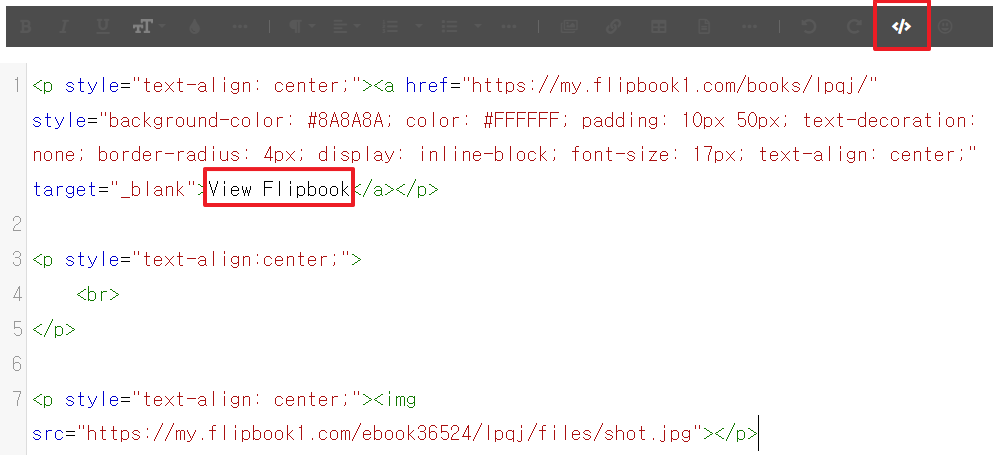
To change the button text displayed in the button code, simply change the “View Flipbook” text shown in the image above.
If the embed code does not work, it means your website is blocking it. In this case, please ask your website administrator to allow the embed code from the following address:
https://my.flipbook1.com
If the embed code does not work, it means your website is blocking it. In this case, please ask your website administrator to allow the embed code from the following address:
https://my.flipbook1.com